
BabySteps: Debt Payoff Planner2021.05.11 - Google Play
You'll be able to see results in few seconds.
Publisher Description
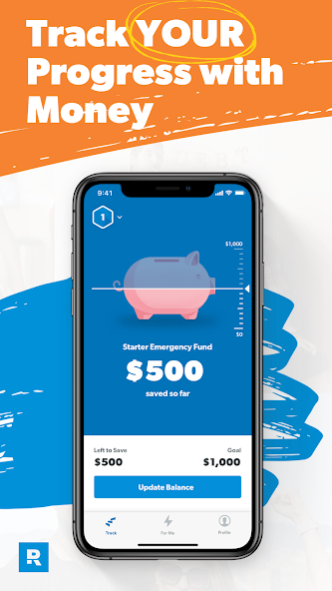
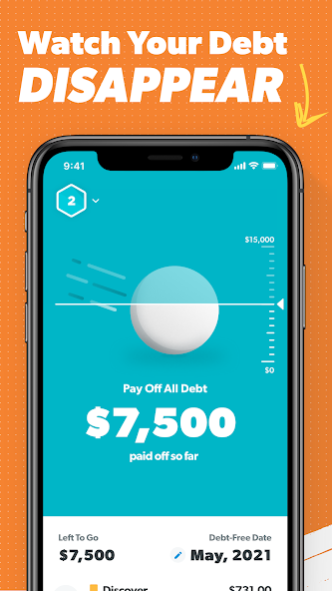
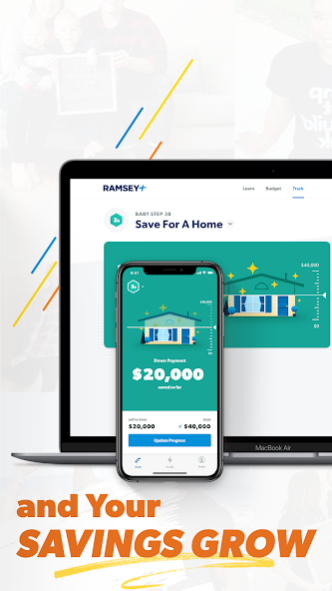
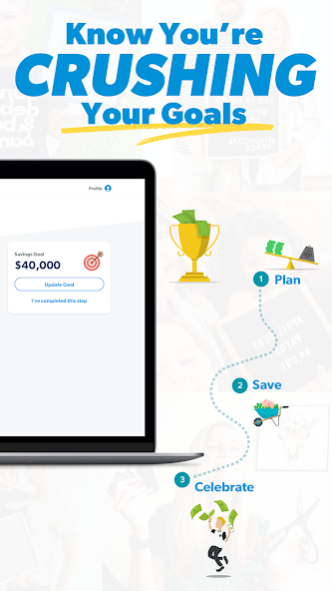
Paying off debt doesn’t have to take as long as you think! It’s time to take your money back—and the BabySteps app shows you the fastest way to do it.
Got some credit cards? What about student loans or car payments? (Maybe you’ve got a little bit of everything.) Hey, that’s most people. But you don’t want to be “most people.” With the BabySteps app, you’ll track all your payments in one place and take them out one by one using the powerful debt snowball.
But once those debts are history, what’s next? Your money is finally freed up to do what YOU want it to. And the BabySteps app helps you track your money for the long haul. You’ll work through Dave Ramsey’s 7 Baby Steps, the step-by-step playbook with money that’s helped millions go from “I can’t do this” to “I just did that!”
Pay off debt. Build an emergency fund. Save for a down payment on a home. Invest for your future. Watch your confidence with money grow as you reach one goal after another.
TRY RAMSEY+ TO GET THE APP
So, first things first. To access this app, you’ll need to be a member of Ramsey+. (SmartDollar members—you’re already good to go!)
Wait, why not just the BabySteps app? Well, if you want to hit a big money goal (like paying off debt), tracking your progress is just one part. You’ve got to tackle your mindset AND your habits. That’s where Ramsey+ comes in. All three of our apps work together to help you make better choices with money every single day. All those small wins add up to BIG results in your bank account and better habits that get you to your goals faster.
You also get access to:
• EveryDollar – Take control of your spending so you can put more money toward your goals with our easy-to-use budgeting app.
• FinancialPeace – Learn the practical know-how about saving, paying off debt, and building wealth you can start putting into practice TODAY.
Not a member of Ramsey+ yet? No problem. Start your FREE TRIAL at https://www.ramseysolutions.com/ramseyplus.
KEY APP FEATURES
Follow our simple money plan:
• Learn Dave Ramsey’s 7 Baby Steps.
• Find out which Baby Step you’re on.
• Work the Baby Steps to pay off debt, save for emergencies, and build wealth.
Track your debt payments using the debt snowball method:
• Discover the date you’ll be totally debt-free.
• Pay off one debt at a time, smallest to largest.
• Find out how much faster you can be debt-free by adding extra money to your monthly payments.
• Throw a digital snowball at your debt every time you make a payment. Boom. It feels good to hit back.
Track your savings:
• Get tips on how to save money faster and establish an emergency fund.
• Flip some digital coins into your piggy bank. Literally.
• Watch your savings account grow—along with your motivation.
Watch in-app coaching from finance experts:
• Dave Ramsey lays out the facts about debt and saving.
• Rachel Cruze gives budgeting tips to reach your goals faster.
• Ken Coleman dishes out career advice that works at every Baby Step.
Take the app anywhere:
• Track your progress on both desktop and mobile.
• Sync with your EveryDollar budget to update your debt snowball in real time.
Privacy Policy: https://policies.ramseysolutions.net/privacy-policy
Terms of Use: https://policies.ramseysolutions.net/terms-of-use
About BabySteps: Debt Payoff Planner
The company that develops BabySteps: Debt Payoff Planner is Ramsey Solutions. The latest version released by its developer is 2021.05.11.
To install BabySteps: Debt Payoff Planner on your Android device, just click the green Continue To App button above to start the installation process. The app is listed on our website since 2021-05-13 and was downloaded 0 times. We have already checked if the download link is safe, however for your own protection we recommend that you scan the downloaded app with your antivirus. Your antivirus may detect the BabySteps: Debt Payoff Planner as malware as malware if the download link to com.ramseysolutions.babysteps is broken.
How to install BabySteps: Debt Payoff Planner on your Android device:
- Click on the Continue To App button on our website. This will redirect you to Google Play.
- Once the BabySteps: Debt Payoff Planner is shown in the Google Play listing of your Android device, you can start its download and installation. Tap on the Install button located below the search bar and to the right of the app icon.
- A pop-up window with the permissions required by BabySteps: Debt Payoff Planner will be shown. Click on Accept to continue the process.
- BabySteps: Debt Payoff Planner will be downloaded onto your device, displaying a progress. Once the download completes, the installation will start and you'll get a notification after the installation is finished.
Program Details
System requirements
Download information
Pricing
Version History
version 2021.05.11
posted on 2021-05-13
Background improvements and bug fixes
version 2020.10.29
posted on 2020-12-07
- Added a new Share link on the Profile screen so you can give friends a 30-day Ramsey+ free trial.
version 2020.09.28
posted on 2020-10-30
-- Version 2020.09.28 --
IMPROVEMENTS
* Set a completion date goal on Baby Step 1
* Bug fixes
version 2020.09.14
posted on 2020-09-29
-- Version 2020.09.14 --
IMPROVEMENTS
* Set a completion date goal on Baby Step 1
* Bug fixes
version 2020.08.24
posted on 2020-09-14
-- Version 2020.08.24 --
IMPROVEMENTS
* Set a completion date goal on Baby Step 1
* Bug fixes
version 2020.08.06
posted on 2020-08-25
-- Version 2020.08.06 --
Improvements
* Updated look and feel
* Bug fixes
Disclaimer
Official Google Play Link
We do not host BabySteps: Debt Payoff Planner on our servers. We did not scan it for viruses, adware, spyware or other type of malware. This app is hosted by Google and passed their terms and conditions to be listed there. We recommend caution when installing it.
The Google Play link for BabySteps: Debt Payoff Planner is provided to you by apps112.com without any warranties, representations or guarantees of any kind, so access it at your own risk.
If you have questions regarding this particular app contact the publisher directly. For questions about the functionalities of apps112.com contact us.
